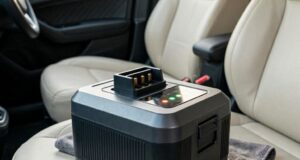
You plug your handheld vacuum in after a quick cabin cleanup, expecting the usual solid charging light. Instead, it starts flashing aggressively. Maybe it’s a rapid red blink, an alternating blue-and-amber strobe, or a pulse that dies after three seconds.
That flashing light is not a passive indicator that power is flowing. It is an active diagnostic alert.
When a portable cleaner’s light blinks abnormally, the internal circuit board has detected a parameter that violates its safety programming. Because these compact devices pack high-drain lithium cells right next to intense heat sources inside a vehicle, their electronic brains are highly sensitive.
Let’s look past generic manual troubleshooting to unpack the real system faults, hidden automotive environment triggers, and direct answers to user frustrations to keep the best portable car vacuum running smoothly.
1. The Electrical Logic: What Is the Smart Board Detecting?
To understand the blinking sequence, you have to look at the communication happening between the battery cells, the internal Battery Management System (BMS), and the external power cord.
[Power Input Cord] ---> [BMS Control Board] <--- Sensors ---> [Lithium Battery Cells]
                               |
               (Safety Protocol Violation Detected)
                               |
            [Continuous Blinking LED Diagnostic Error]
When you connect a charging cable, the BMS runs a continuous, real-time safety loop before allowing current to cross into the battery chemistry. If the light starts blinking erratically, the logic board has flagged one of three specific critical errors:
- Over-Voltage / Under-Voltage Lockout: The input current from your car socket or wall brick is either too high (threatening to fry the board) or too low (unstable to trigger a charge).
- Imbalanced Cell Impedance: In multi-cell battery packs, the BMS checks if all internal cells are at equal voltage. If one cell degrades faster than the others, the voltage gap widens, and the board flashes an error light to prevent a catastrophic internal short circuit.
- Thermal Boundary Breach: The internal thermistor (temperature sensor) registers that the battery pack is either too cold (below 0°C) or too hot (above 45°C), forcing a complete charging freeze.
2. Real-World Challenges & Hidden In-Car Triggers
Car vacuums live a rough life compared to indoor appliances. These specific automotive hazards are the most common root causes behind a blinking error light:
The “Hot-Trunk” Thermal Trap
Leaving your cordless vacuum inside a locked car during summer turns the internal lithium battery cells into literal heat sponges. If you bring the unit inside your air-conditioned home or try to plug it into your dashboard while the chassis is still baking hot, the internal thermal sensor immediately flags an over-temperature state. The light will blink continuously, refusing to take a charge until the core drops to ambient indoor room temperatures.
The Modified Sine Wave Inverter Conflict
Many modern trucks and SUVs come equipped with built-in 110V or 220V AC wall-style outlets on the console or trunk panel. However, these outlets often output a “modified sine wave” rather than the clean “pure sine wave” electricity found in residential homes. The cheap AC/DC transformer bricks included with many car vacuums struggle to clean this choppy power signal, causing the internal charging chips to overheat, glitch out, and flash an input error light.
Micro-Abrasive Carbon Dust Shunts
As traditional brushed motors wear down inside compact vacuum housings, they shed tiny, microscopic particles of conductive carbon dust. Because the air inside a car vacuum recirculates in tight quarters, this fine conductive dust can bypass loose internal seals and settle directly onto the surface of the charging circuit board. This creates tiny, high-resistance “ghost shorts” that trick the BMS into thinking the battery is failing, triggering an endless fault flash.
3. Systematic Diagnostics: Mapping the Flash Patterns
If your machine is stuck in an endless blinking loop, use this precise mechanical matrix to identify the exact point of failure:
| The Blink Behavior | The Underlying System Fault | The Immediate Tactical Action |
| Blinks for 5 seconds when plugged in, then goes completely dead. | The BMS detects a deep-discharge state where cell voltage has dropped below the critical 2.5V safety floor. | Leave it plugged into a low-amperage (1A) legacy USB port for 4 hours to see if it slowly wakes the chemistry up. |
| Continuous rapid red/amber flashing that never stops. | Severe thermal lockout or internal cell imbalance. The battery pack is structurally damaged or overheated. | Move the vacuum to a cool, climate-controlled room for 60 minutes. If it still flashes when cool, the battery is dead. |
| Blinks only when the charging cable is moved or lightly tapped. | Physical breakage of the USB-C/DC barrel port pins away from the internal printed circuit board. | Clean out any packed carpet lint from the port with a toothpick. If clean, the internal socket requires resoldering. |
4. Addressing Systemic Objections (Clear Answers to Hard Questions)
Objection 1: “My vacuum’s light is blinking, but the manual says nothing about error codes. It just says ‘Charging.’ Why should I assume something is broken?”
Answer: Standard charging functionality is almost universally indicated by a slow, rhythmic pulsing light (like a breathing effect) or a progressive ladder of solid bars. A chaotic, high-frequency flashing light, an alternating color shift (e.g., green to red), or a light that blinks rapidly before shutting down completely indicates an interruption in the power delivery sequence. If the unit stays cold to the touch and fails to gain capacity after hours of blinking, it is signaling a system fault, not active charging.
Objection 2: “Can I just bypass a persistent thermal blinking light by freezing the vacuum inside my home refrigerator for ten minutes to cool it down?”
Answer: Absolutely not. Forcing a warm lithium-ion battery into a freezing refrigerator causes rapid internal condensation. Moisture will form directly on the sensitive surface of the internal circuit board and between the cell terminals. When you take it out and plug it in, this moisture can cause a catastrophic short circuit, permanently frying the electronics or creating a severe fire hazard. Let the unit cool down naturally at normal room temperature.
Objection 3: “I am using my high-end 65W smartphone charger, but the vacuum light just blinks red and won’t accept the charge. The charger works perfectly fine on my phone, so the vacuum must be defective.”
Answer: Not necessarily. Many basic handheld vacuums utilize primitive charging circuits that do not understand how to communicate with modern high-wattage Programmable Power Supply (PPS) smart phone chargers. When connected, the smart charger tries to negotiate a power rate, fails to get a response from the vacuum’s simple chip, and sends an unstable voltage loop that triggers the vacuum’s blinking safety warning. Switch to a basic, unmanaged 5V/2A charging brick to restore a stable power flow.
5. Protocols to Protect and Restore Your System Logic
To ensure your cleaning gear doesn’t leave you stranded with an unchargeable battery pack when you need to clear debris from your car mats, establish these clear power handling habits:
- The 20-Minute Pre-Charge Rest Rule: Never plug your vacuum into a charging source immediately after a grueling, high-draw detailing session. The battery cells are already highly stressed and thermally elevated from discharging power. Let the machine rest completely idle in a cool area for 20 minutes before introducing a charging current.
- Isolate from Active Ignition Cycles: Avoid leaving your handheld vacuum plugged into your car’s 12V cigarette lighter socket or dashboard USB ports while you are actively starting or turning off the vehicle engine. The massive electrical surges generated during engine ignition can easily break down the basic voltage regulators inside the vacuum, leading to permanent circuit board failure and diagnostic blinking loops.
- Keep the Power Path Pristine: Periodically check the physical condition of your charging accessories. A frayed cable, a loose USB-A adapter head, or a cigarette plug socket coated in a thin layer of oxidized grime can cause erratic power delivery that triggers a false blinking error on your vacuum. Keep the contact points clean and tight.
A blinking charging light is your vacuum’s way of protecting itself from permanent damage. Instead of repeatedly unplugging and plugging the cable back in to force a charge, stop and analyze what the system is telling you. By providing a stable, low-stress power source, managing the thermal health of the device away from harsh vehicle temperatures, and ensuring the physical ports are clear of cabin dust, you can easily clear the error loop and ensure your hardware remains primed for peak detailing performance.